


Draw Cartoon - AR Sketch App
4.5747.00 Reviews
App Specs
- Version
- 1.0.38
- Updated On
- License
- Free
- Downloads
- 10,000,000+
- Developer
- Braly JSC
- Categories
- Art & Design
- Platform
- Android, iOS
Screenshots
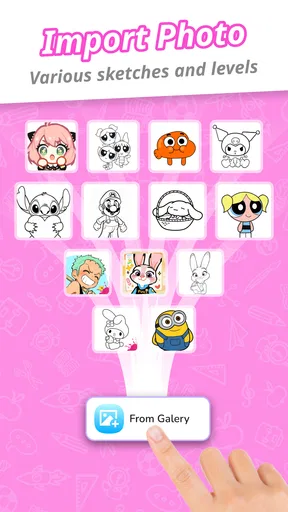
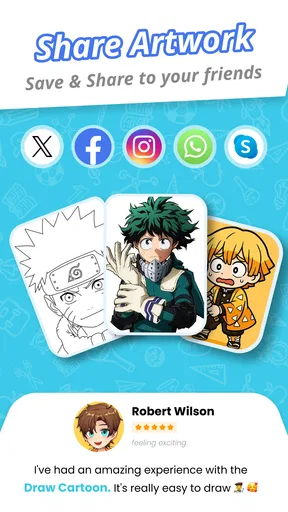
 Analysis by AppCompare
Ever found yourself doodling on napkins during lunch breaks or sketching on the back of your notebooks? If you're anything like me, always itching to bring your creative ideas to life, you're going to love Draw Cartoon - AR Sketch App. This app is a little gem for anyone who wants to explore their artistic side without needing a full studio setup. Let me walk you through my experience with it.
Getting Started with Your First Sketch
Draw Cartoon - AR Sketch App is a free art and design app from Braly JSC, and its main appeal is the way it connects a simple drawing activity with an AR sketching experience. Its average rating sits at 4.6 from around 65,000 ratings, and it has passed 10 million installs. Those figures suggest broad interest, but they don’t tell you whether the app fits your habits; what matters most is whether you want a guided, approachable way to put a drawing onto paper rather than a full digital art studio.
When you first open Draw Cartoon - AR Sketch App, you're greeted with a clean, user-friendly interface. The setup is intuitive, making it easy for even the most tech-averse among us to dive right in. The app offers a quick tutorial that guides you through its various features, and trust me, you'll appreciate this if, like me, you sometimes find yourself fumbling with new tech.
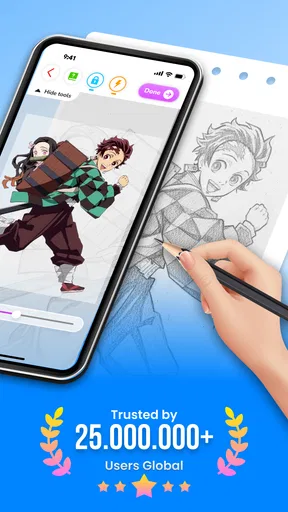
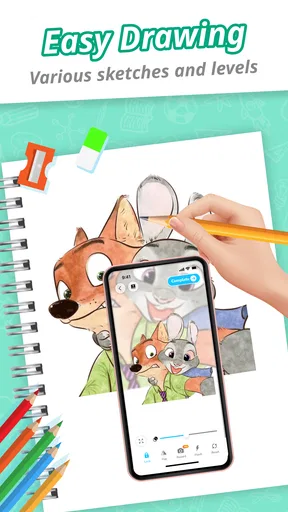
The app's charm lies in its augmented reality (AR) feature. You can literally see your sketches come to life in the real world. I was blown away the first time I tried it, watching my doodles float in my living room. It's like having a personal art exhibit right in your pocket!
Dive Into the Tools
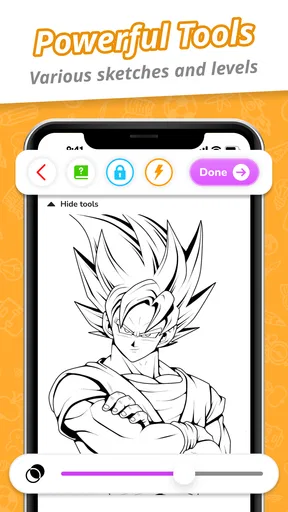
One of the things that stands out about the app is its range of drawing tools. Whether you're into fine lines or bold strokes, there's a tool for you. The variety of brushes and colors is impressive, giving you the freedom to experiment and find your unique style. I spent hours playing around with different brush sizes and textures, trying to capture the perfect sunset.
There's also a nifty eraser tool that lets you correct any mistakes without hassle. It's as simple as swiping your finger across the screen. And don't worry about losing your masterpiece; the app automatically saves your work, so you can always pick up where you left off.
For a practical first session, I’d keep the drawing uncomplicated and treat the AR view as a guide rather than a magic tracing machine. A bold outline is easier to follow than a crowded image full of tiny details, especially when you’re learning to coordinate the phone’s view with your hand. I’d also choose a well-lit, steady spot and support the phone instead of trying to hold it over the page. That small setup choice makes a bigger difference to line control than adding more colors or changing brushes.
Worth Reading Before You Choose

Flipboard Shows What News Apps Must Do Beyond the Feed

Switching to Android Auto Means Rethinking Your Driving Routine

Google Calendar Makes a Crowded Week Easier to Manage

Ludo King Makes the Most of the Minutes Between Plans

Baby Panda World Brings Quick Play to Modern Phones, but Its Game Library Feels Busy

ESPN’s Live Game View Makes Following Close Games Easier
Sharing Your Masterpieces
Once you're satisfied with your creation, sharing it with friends and family is a breeze. The app allows you to export your sketches in various formats, making it easy to share on social media or print them out. I sent a few sketches to my friends, and they were amazed at the quality and creativity AR brought to my art.
For those who are a bit more competitive, the app also hosts regular challenges where you can submit your work and see how it stacks up against others. It's a fun way to get feedback and improve your skills.
That makes the app useful beyond a one-off doodle. I can picture using it on a rainy afternoon with a child who wants to draw a favorite cartoon character: choose a straightforward outline, place paper on a table, and take turns tracing and adding color. It gives the activity a clear starting point without requiring anyone to know formal drawing techniques. For a personal gift, the same approach can help turn a simple sketch into a card design; I’d keep the composition large enough to transfer cleanly, then finish the details by hand rather than expecting the phone to do the creative work for me.
The Learning Curve
While the app is mostly user-friendly, it does have a slight learning curve, especially if you're new to AR technology. I spent a little extra time getting used to the augmented reality features, but once I got the hang of it, it was smooth sailing. The community forums and tutorials are a great resource if you ever find yourself stuck.
I also found the app's performance to be quite stable. There were no major lags or crashes during my usage, which is always a relief. It runs smoothly on both Android and iOS, making it accessible to a wide range of users.
AR tracing has a different purpose from drawing in a conventional canvas app. In a standard digital sketchbook, I can zoom in, work with layers, and refine an image without worrying about the physical position of my phone; here, the appeal is translating a visible guide into a drawing on a real surface. That can be more engaging for beginners, but it is less suited to someone who wants precise digital illustration, advanced editing, or a polished file built entirely on a tablet. I’d use this as a bridge from looking at an image to making marks on paper, not as a replacement for a dedicated art program.
One trade-off is that the AR setup asks for a little patience and a workable drawing space. If the phone shifts while you’re tracing, your hand may follow a moving reference, so a stable support and a clear sheet of paper are worth arranging before you begin. A detailed picture can also become frustrating if you try to copy every small contour at once. I’d simplify the subject into its largest shapes first, then add recognizable details after the outline is down. That workflow keeps the exercise enjoyable and helps avoid mistaking a crowded reference for a test of artistic ability.
Who Will Get the Most From It
I’d recommend it to curious beginners, casual doodlers, and parents looking for a low-pressure drawing activity. It is especially appealing if you learn better by following a visible example than by starting from a blank page. The app is rated for Everyone, is free to use, and its current version is 1.0.34; it was released on January 8, 2025, and supports devices running Android 7.0 or later. If you’re choosing it for a younger artist, I’d still sit alongside them at first, both to help with the phone setup and to keep the session focused on experimenting rather than getting a perfect copy.
On the other hand, I wouldn’t pick it as my main tool for painting detailed digital scenes, preparing professional illustration files, or practicing freehand drawing without a visual prompt. A traditional pencil-and-paper exercise is better when the goal is to build observation skills without tracing, while a full-featured drawing app makes more sense when I need editable layers and careful finishing. The useful question is not whether AR is better than those options, but whether a projected guide makes starting a drawing feel easier for you.
Final Thoughts
Overall, Draw Cartoon - AR Sketch App is a fantastic tool for anyone looking to explore their creative side. Whether you're a seasoned artist or just someone who likes to doodle, this app has something to offer. Its unique blend of traditional sketching tools with cutting-edge AR technology makes it a standout choice in the crowded world of drawing apps.
So, if you're ready to unleash your inner artist and see your ideas come to life in ways you never imagined, give this app a try. Who knows? You might just discover a hidden talent or two.
My clearest recommendation is to treat it as a friendly starting point: pick a simple subject, set up the phone securely, and enjoy the process of turning a reference into something made by your own hand. Braly JSC’s app won’t replace a sketchbook or a serious digital studio, and the AR stage may take a little adjustment, but that distinction is also what gives it a useful place. If the idea of drawing on paper feels more inviting when you can see where to begin, this is an easy, free option to try; if you want complete control over a digital canvas, another kind of drawing app will serve you better.
Pros
- Intuitive interface for easy sketching.
- Wide range of brushes and tools.
- Augmented reality for creative overlays.
- Regular updates with new features.
- Supports multiple file export formats.
Cons
- AR feature can be battery-intensive.
- Requires stable internet for best performance.
- Limited free version features.
- Occasional lag on older devices.
- Ads can be intrusive for free users.
FAQs for Draw Cartoon - AR Sketch App
What is Draw Cartoon - AR Sketch App and how does it work?
Draw Cartoon - AR Sketch App is an innovative application that allows users to create and visualize sketches in augmented reality. By utilizing your device's camera, you can overlay your drawings onto real-world environments. The app provides a variety of tools and templates to assist you in creating detailed and lifelike sketches.
Is Draw Cartoon - AR Sketch App suitable for beginners?
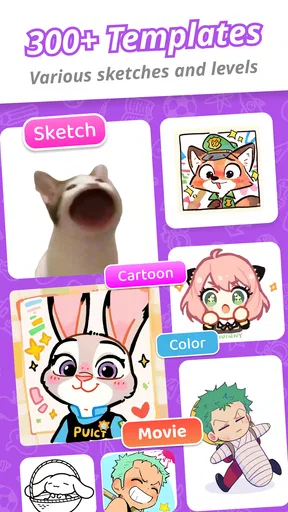
Yes, Draw Cartoon - AR Sketch App is designed to be user-friendly for both beginners and experienced artists. It offers intuitive controls, step-by-step tutorials, and a wide range of templates that make it easy for anyone to start creating in augmented reality, regardless of their skill level.
Does the app require an internet connection to function?
Draw Cartoon - AR Sketch App primarily works offline, allowing you to sketch and create without needing an internet connection. However, certain features, like downloading new templates or sharing your creations on social media, require internet access to function properly.
Are there any in-app purchases or subscription fees?
While Draw Cartoon - AR Sketch App is free to download, it offers in-app purchases for additional features, templates, and tools. These purchases are optional but can enhance your experience by providing more creative options. There are no mandatory subscription fees to use the basic features of the app.
What devices are compatible with Draw Cartoon - AR Sketch App?
Draw Cartoon - AR Sketch App is available for both Android and iOS devices. However, since it utilizes augmented reality, it requires devices with AR capabilities. Ensure your device meets the necessary hardware specifications to enjoy a smooth and immersive experience.


